Calcish 1.8 released
We have released Calcish 1.8!
New features
Added “Initial cell type” setting
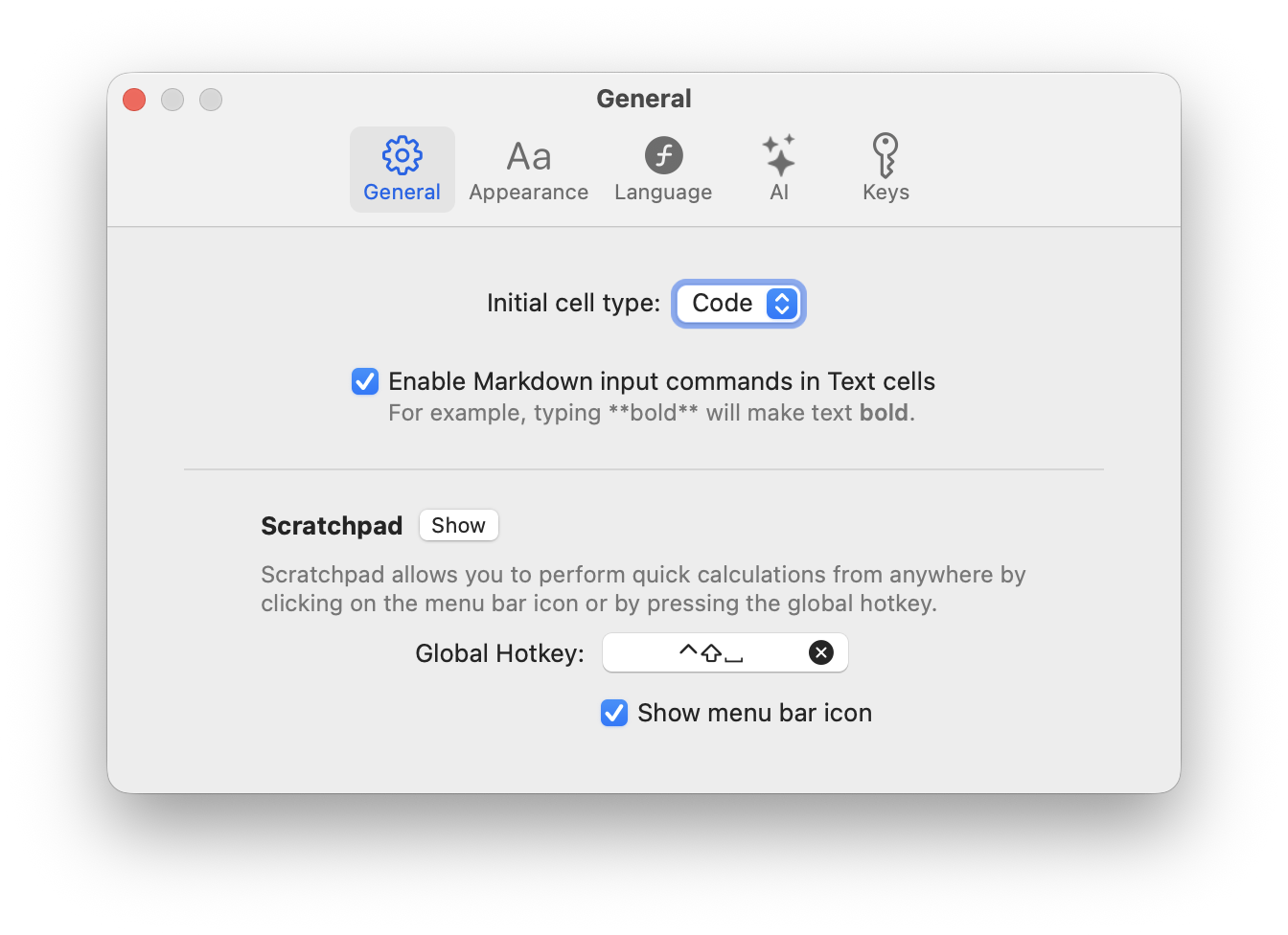
When you created a new codebook or cleared the scratchpad, the first cell was always a code cell. Now you can change this behavior in settings and choose whether the first cell should be a code cell, an AI cell, or a text cell.
Documented new functions and classes
Some functions were not documented, as they were experimental and we didn’t want to commit to their names. Now the following functions and classes are documented:
createBitmap
Creates a Bitmap object from pixel data or a generator function. This function was previously called bitmap, but it has been renamed to createBitmap for clarity and to avoid confusion with the Bitmap class.
Example: createBitmap((i, x, y) => [x * 10, y * 10, 128, 255], 32, 32) creates a 32x32 bitmap with a gradient pattern.
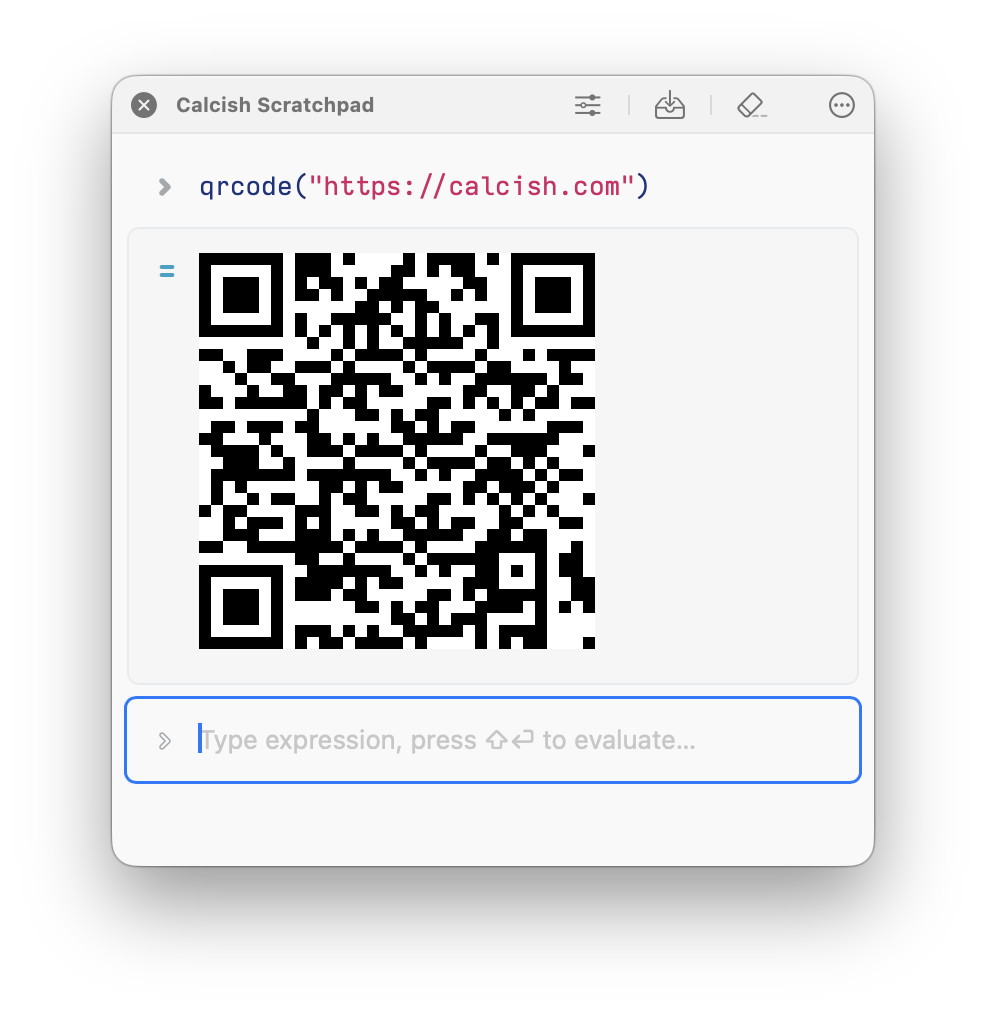
qrcode function
Generates a QR code as a Bitmap object from the given text.
Example:
remoteTable function
Returns the first Table found on the specified web page.
It fetches the given URL, parses is as HTML, and creates a Table for the first <table> tag found on the page.
Example:
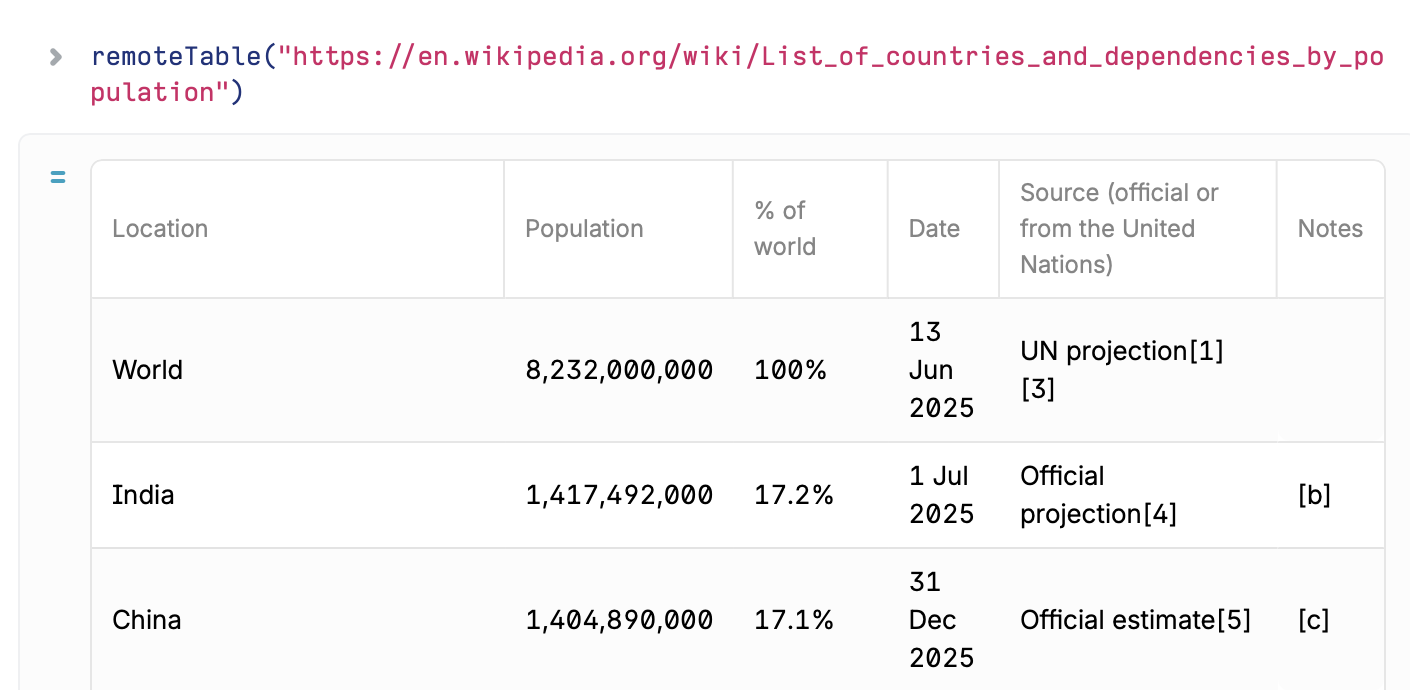
There’s also remoteTables function to fetch all tables from a single URL as an array of Table objects.
feedTable function
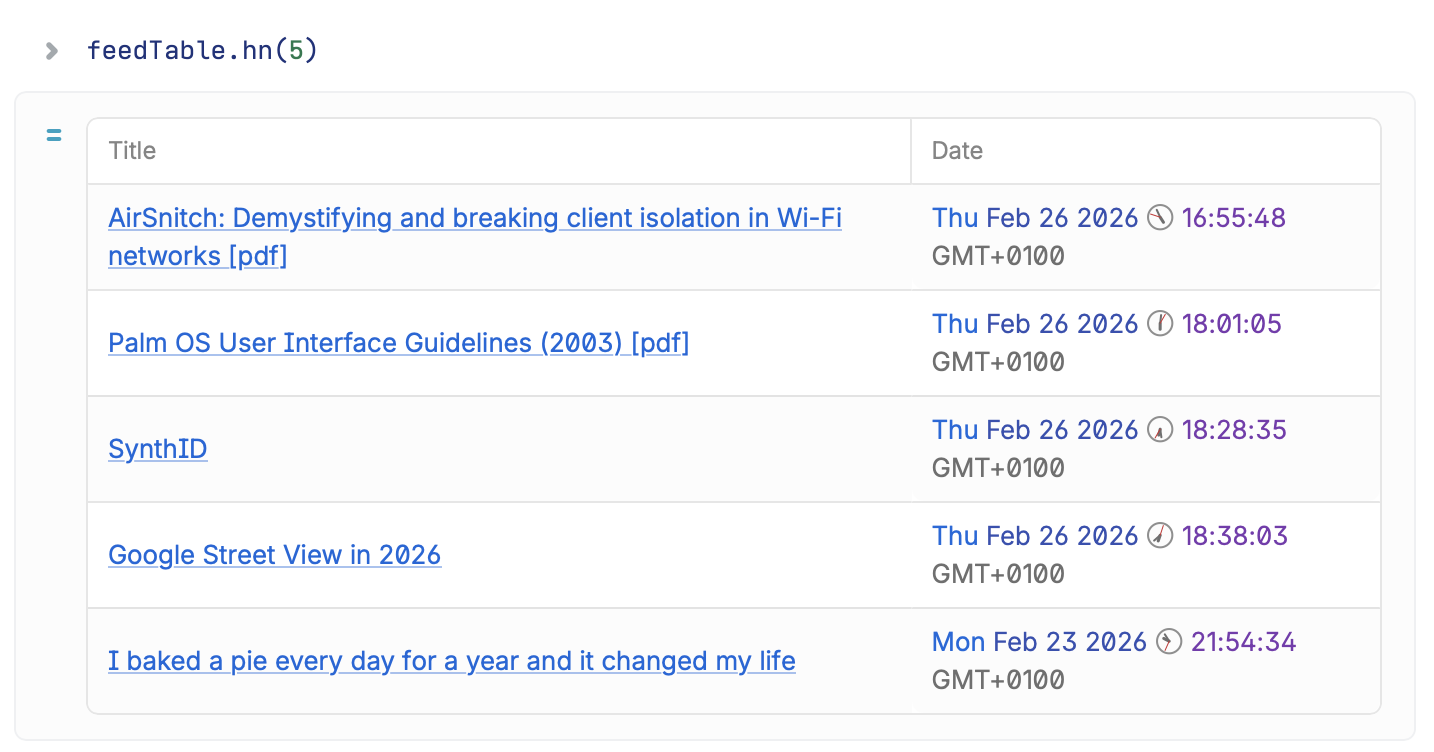
Fetches an RSS or Atom feed from a URL and returns it as a Table with article titles and dates.
There are also convenience functions:
feedTable.hn()to fetch Hacker News feedfeedTable.nyt()to fetch The New York Times feedfeedTable.guardian()to fetch The Guardian world news feed.
Example:
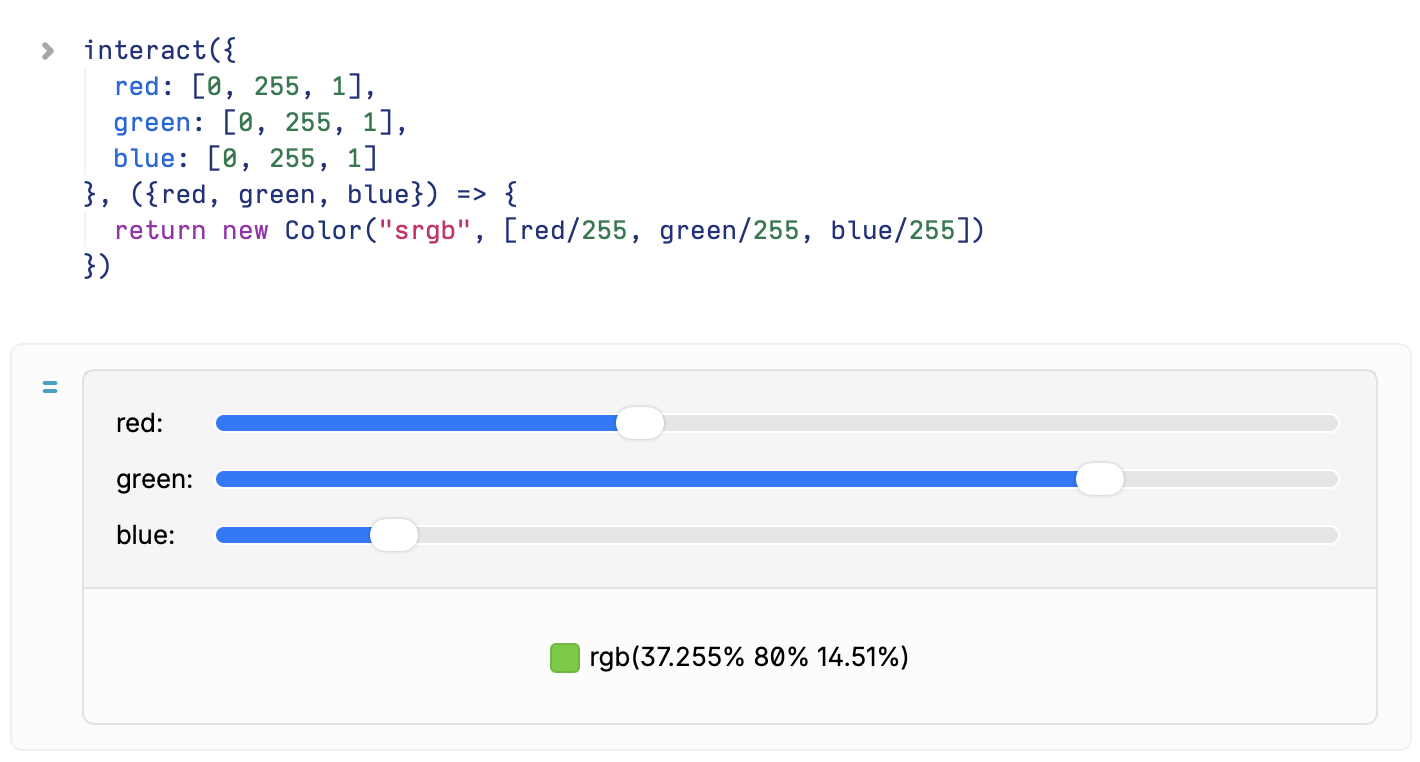
interact function
Creates an interactive widget that allows you to adjust parameters and see live results.
Widget kind depends on the type of default parameter:
stringornumber: Creates a text input[...strings]: Creates a dropdown picker (first item is default)[min, max]or[min, max, step]: Creates a numeric slider- an object provides multiple parameters, each of which can be a string, number, or array (for dropdown and sliders). In this case, the function takes an object with parameter values instead of individual parameters.
Example:
Full change log:
- Added “Initial cell type” setting.
- Renamed
bitmapfunction tocreateBitmap - Documented
createBitmap,qrcode,interact,loadURL,remoteTable,feedTablefunctions andBitmap,URL,URLSearchParamsclasses. - Improve the look of horizontal ruler in Markdown.
- Fixed AI cell icon position.
- Switched to Gemini 3.1 Pro model, as Google deprecated 3.0 Pro.
- Added Claude Opus 4.6 and Sonnet 4.6 models via OpenRouter.
Download Calcish from Mac App Store.